Monday, August 8, 2011

Android App Turns Smartphones Into Mobile Hacking Machines


Dangerous hacks come in small packages.
Or they will, perhaps, when an app called Anti, or Android Network Toolkit, hits the Android market next week. The program, which Israeli security firm Zimperium revealed at the Defcon hacker conference in Las Vegas Friday and plans to make available to Android users in coming days, is designed for penetration testing–in theory, searching out and demonstrating vulnerabilities in computer systems so that they can be patched. Anti aims to bring all the hacking tools available to penetration testers on PCs to smartphones, with an automated interface intended to make sniffing local networks and owning remote servers as simple as pushing a few buttons.
“We wanted to create a penetration testing tool for the masses, says Itzhak “Zuk” Avraham, founder of Tel-Aviv-based Zimperium. “It’s about being able to do what advanced hackers do with a really good implementation. In your pocket.”
Anti, a free app with a $10 corporate upgrade, will offer a wi-fi-scanning tool for finding open networks and showing all potential target devices on those networks, as well as traceroute software that can reveal the IP addresses of faraway servers. When a target is identified, the app offers up a simple menu with commands like “Man-In-The-Middle” to eavesdrop on local devices, or even “Attack”; The app is designed to run exploits collected in platforms like Metasploit or ExploitDB, using vulnerabilities in out-of-date software to compromise targets.

A screenshot from Anti displaying target machines on the local network. (Click to enlarge.)
For now, the demonstration app Avraham showed me was equipped with only a few exploits: One aimed at a bug in Windows–the same flaw exploited by the Conficker worm in 2009–another targeting default SSH passwords in jailbroken iPhones, and a third exploiting a vulnerable, older version of Android. Zimperium has also built a Windows trojan that allows Anti to perform automated commands on hijacked machines like taking a screenshot, ejecting a CD, or opening the calculator, a common penetration-testing demonstration.
Even in its current form, the app raises the possibility of dangerous, stealthy attacks. A hacker could, for instance, walk into a coffee shop or a corporate office with his phone and start sussing out machines for data theft or malware infection. But Avraham says Zimperium will ask users in its terms of service to limit their hacking to “white hat” penetration testing.

Another screenshot showing command options on a target machine, including "man-in-the-middle" and "attack." (Click to enlarge.)
“Hacking is not for the chosen few,” reads one description in the app’s documentation, formatted in Star Wars-style scrolling text. “Anti is your perfect mobile companion, doing it all for you. Please remember, with great power comes great responsibility. Use it wisely.”
Penetration testers who saw the app at Defcon were impressed. “It’s just sick,” says Don Bailey, a researcher with security firm iSec Partners. “The way it populates the screen with vulnerable targets…it’s really elegant.”
Another professional penetration tester for a defense contractor firm who asked that his name not be used called the app a “quick and dirty Swiss army knife for mobile pen testing.” “It’s so polished it’s almost like playing a video game,” he says, comparing it to penetration testing suites that cost thousands of dollars.
With its sheer simplicity, Anti’s impact could be comparable to that of Firesheep, a proof-of-concept tool released in October of last year that allowed anyone to easily snoop on devices on unsecured wi-fi networks that connected to unencrypted web pages. That tool was downloaded more than 1.7 million times, and no doubt used in some instances to spy on web users unawares. But it also helped inspire both Twitter and Facebook to encrypt traffic to their site and prevent such eavesdropping.
“People might use it in dangerous ways,” Avraham says with a shrug. “I really hope not. But I know this might be the risk to help people increase their security, and that’s our goal.”


Enhanced by Zemanta

Wednesday, July 6, 2011

My Time at Swecha


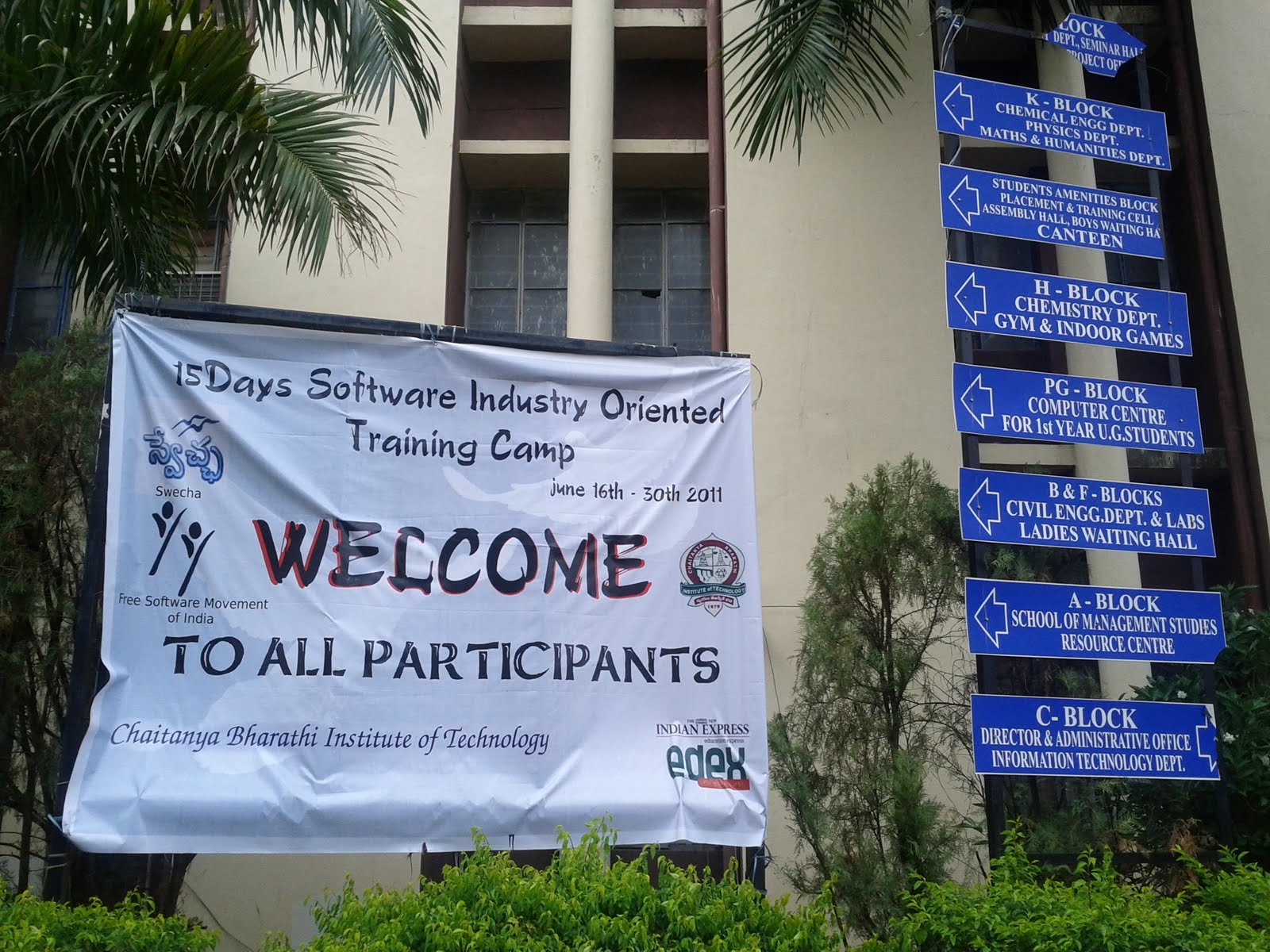
I was honoured when i got an invitation from Swecha to give a seminar for a day in their 15 day workshop. I was overwhelmed by the scale of the event itself to begin with. I was stunned by the energy level of each executive of swecha towards organizing this 15 day workshop. The energy level that each person whether it may be the president to a volunteer, it was all the same. It showed the commitment these people have. It was such an inspiring experience for me that I felt very lucky to be among the best people and there was so much to learn with them. I reaaly loved the response students gave to this event. I thought they might be exhausted of having continous sessions for 13 days but the moment I stepped in the assembly hall to deliver my seminar I could feel the energy in the air.I loved the part of group discussions that was conducted every day. I really like the way Mr. Kiran Chandra put his views on a certain topic and let every one express their views on it. I feel the best way to learn is to teach. I am glad that I was part of a some really exciting people and looking forward to be able to share something again.
Enhanced by Zemanta

Tuesday, June 28, 2011

The New Google Plus Project

Finally, google has arrived at the social and sharing domain of internet industry with its new product Google Plus.


Thursday, May 19, 2011

Google plans to close Android hole as soon as possible

Google says that it has started "to roll out a fix which addresses a potential security flaw that could, under certain circumstances, allow a third-party access to data available in Calendar and Contacts". The fix will roll out globally over the next few days, said a Google spokesperson in an official statement. No user action will reportedly be required to close the security hole.

However, the company didn't provide any details on how exactly it intends to solve the problem. According to some reports, Google will expected to configure its servers in a way which forces communication to be encrypted using HTTPS when synchronising calendar items and contacts.

For the Picasa app, this is apparently not an option and Google is said to be working on an alternative solution. The company also doesn't appear to have solved the Picasa problem in Android firmware either. The Picasa app continues to transmit the authentication token in plain text even in version 2.3.4, where Google Calendar and Contacts no longer synchronise without encryption.

Researchers at the university of Ulm in Germany had discovered an Android data transmission vulnerability that allows attackers to gain unauthorised access to, and manipulate, other users' Google Calendar, Picasa Web Album and Google Contact data. The issue exists because an authentication token (AuthToken) which is received when logging into the Google server is then subsequently transmitted, in plain text, by some applications when they make further requests of the Google servers. In unencrypted Wi-Fi networks and in networks where all users use the same key, attackers can use Wireshark to intercept the token and use it for their own purposes

Enhanced by Zemanta

Monday, May 16, 2011

Android Open Conference

Introducing Android Open

The Android juggernaut is gaining force and momentum, rocketing past the iPhone and Blackberry to become the dominant smartphone platform. And the opportunity goes beyond phones—Android is powering tablets, set-top boxes, and a host of new embedded and connected devices.

Android Open is the first conference to cover the entire Android ecosystem. Whether you're a developer, IT pro, business decision-maker, or marketer, you'll find the latest and best information for maximizing the power of the Android platform. But this new O'Reilly conference is not just about today's Android opportunity—it also spotlights tech, projects, and companies that point to Android's bright future.

Android Open is a big-tent meeting ground for app and game developers, carriers, chip manufacturers, content creators, OEMs, researchers, entrepreneurs, VCs, and business leaders to share best practices, tools, models, and lessons learned. If it's your business to create, sell, or market products in the Android space, if you're launching an Android-centric venture or need to take stock of the competitive landscape, Android Open is the place to be.

Insightful keynotes, practical workshops, and expert-led sessions will explore:

  • Building Android apps: best practices
  • Android internals—under the hood
  • Development tools
  • New frameworks
  • Alternative languages
  • Gaming and game development
  • Enterprise solutions and considerations
  • Performance and security
  • Analytics and revenue models
  • Multiple Android markets
  • Promotion and consumer needs
  • and much more

Android Open happens October 9-11, 2011 at the Hyatt Regency San Francisco. Expect to encounter actionable insight, alternative hardware and services, announcements and product launches, and a "hallway track" that takes networking to a whole new level. Join with other Android professionals who are passionate about making the Android universe open, inclusive, and successful at the very first Android Open.


- Android Open

Enhanced by Zemanta

Thursday, May 5, 2011

Installing non-Market Android Apps made easy


Now you can install apps on your Android powered phone or device without having to get them through the Android Market.

Android Injector allows you to quickly and easily install apps that you have downloaded to your computer in the form of ".apk" files onto your Android phone or device. Some phones do not allow you to install apps from any other source except the Android Market. However, some app authors do not release their apps to the Android Market and elect to put them on other sites such as Getjar.com. Android Injector allows you to download apps from those other sources to your computer and then install them onto your phone from your computer quickly and easily via USB connection.

Just install the USB drivers for your phone or device onto your computer (check your carrier or device manufacturer for drivers), connect your phone to your computer via a USB cable, select any amount of Android app files (.apk) and click "Install to device". No rooting or any of that complicated stuff.

- xda developers forum

Link for the tool is here: Android Injector
Enhanced by Zemanta